
Version 2.10.2
19 septembre 2024
We've improved Asitur call management with automatic rejection, time control, new location options, and updated handling of cancellations, optimizing the experience in EFI Tow.
Asitur Automatic Time-out Rejection

Tow
When the countdown for Asitur call estimates reaches zero, calls will be automatically rejected. These will appear in the 'Rejected' tab with the 'Company Rejection' status. You can later view them in the 'Processed' section.
Asitur Arrival Time Estimation Control

Tow
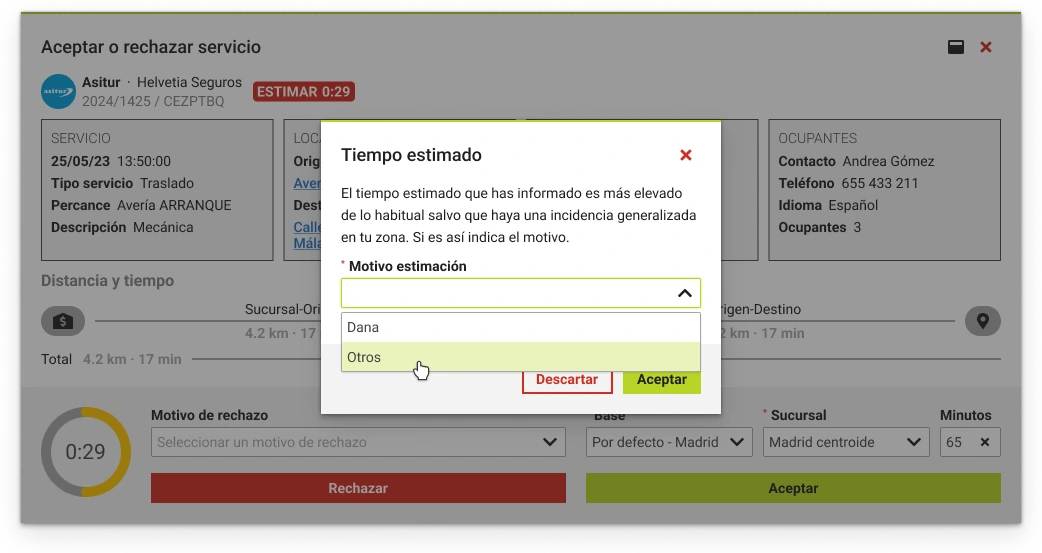
Asitur establishes a maximum arrival time when estimating calls. If you enter a time longer than allowed, you'll need to justify the delay by selecting one of the available options. Exceeding the maximum time doesn't mean the call will be rejected.
New Location Types When Completing Asitur Calls
Tow
We've included new location types that you can select when completing Asitur calls. Now available:
- Base
- Scrapyard
- Home
- Other
- Accident site
- Workshop
Asitur Automatic Call Type Change Request
Tow
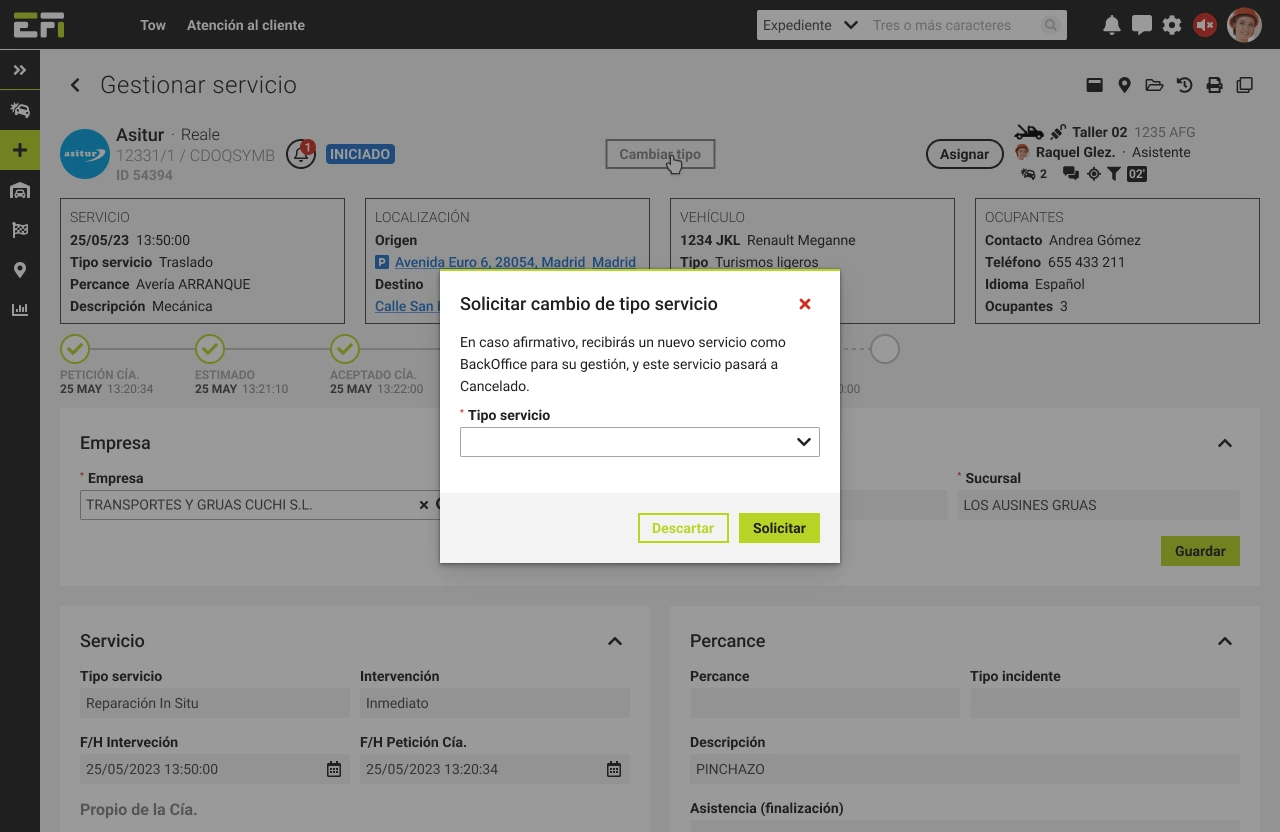
We remind you that you can request a change in call type using the 'Change type' button in the call detail header. When you do, a pop-up window will open where you can select the new type of call you need, and Asitur will respond automatically.
No-cost Cancellation and Revocation in Asitur Calls
Tow
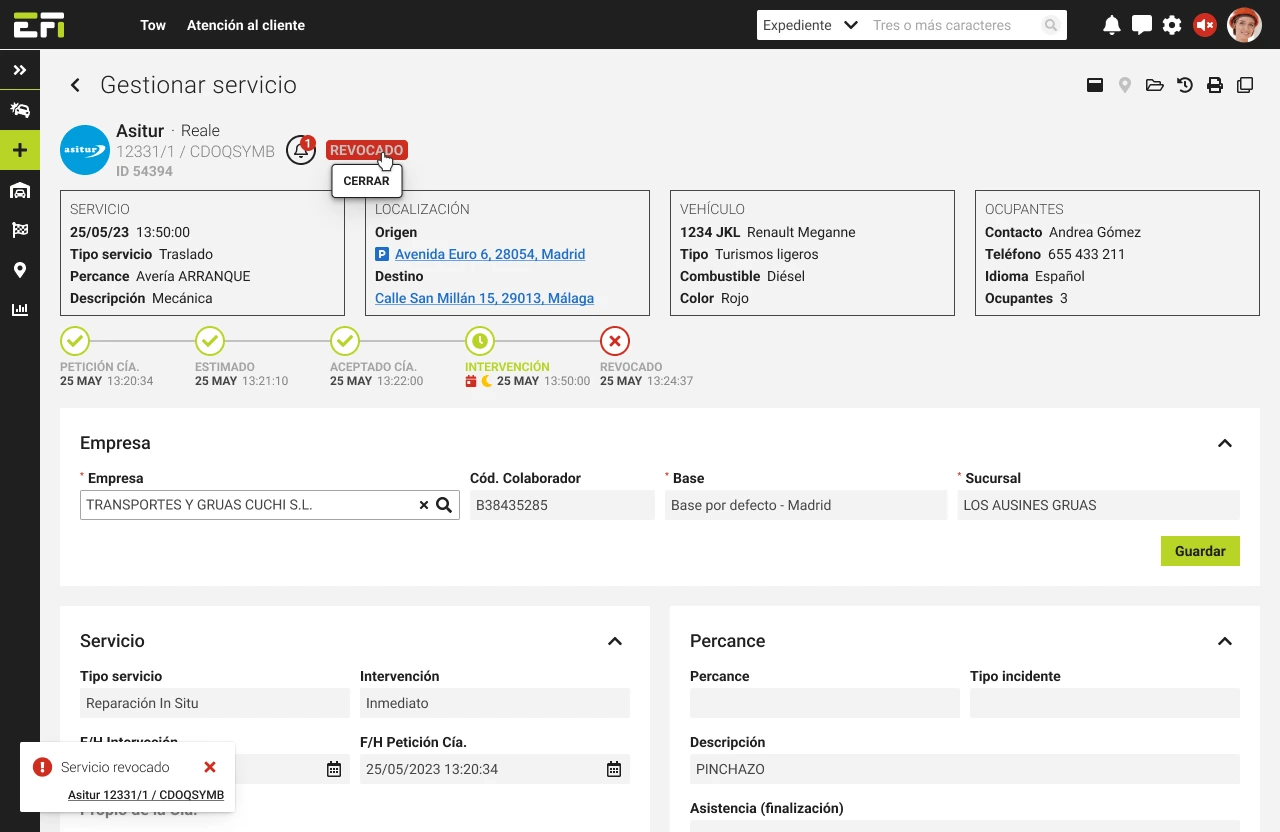
Asitur may need to reject a call through two methods: cancelling it at no cost or revoking the call.
- No-cost calls will automatically change to 'Cancelled at no cost' status. We'll notify you, and you can access them in the 'Processed' section.
- Calls that involve some cost will change to 'Revoked' status, and you can close them normally to confirm them and, subsequently, invoice them like any other call.
New Asitur Call Types
Tow
We've added two new call cases (exclusive to Asitur): calls to complete and calls that are a continuation of a previous one.
- Calls to complete will appear as Backoffice in their corresponding tab, and refer to calls already performed that were not registered in the platform.
- Calls that are a continuation of a previous one will appear normally as immediate. Their origin will be a base and will be identified with the text Call continuation in the origin address.