
Version 2.6.16
27 juin 2023
New features include confirming and invoicing specific services and a new window for assigning users to services.
Invoicing for Specific Services
GA Cloud Full

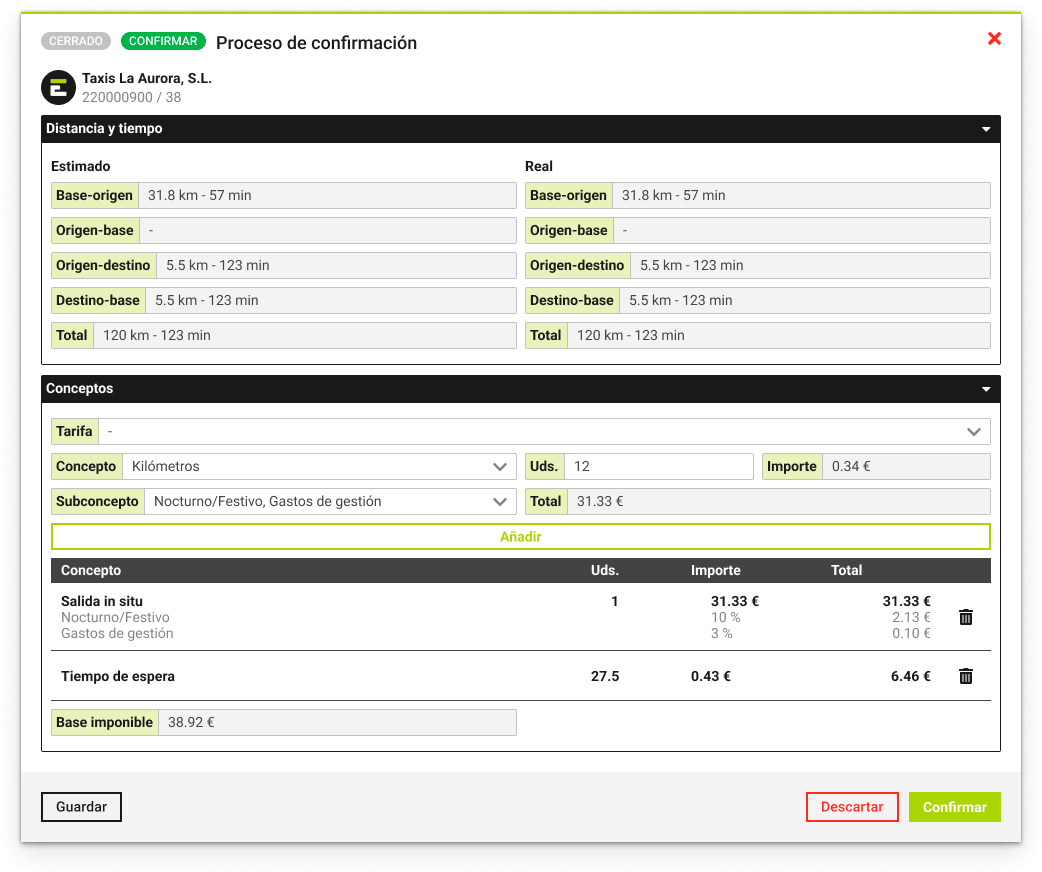
You can now invoice specific services by applying rates and budgets. Go to the "Closed Services" section and complete the details in the confirmation window. Once in "Confirmed Services," select the invoicing series. The invoice will be automatically generated in the "Invoices" section.
Assignment of Resources and Users
Tow · Taxi&VTC
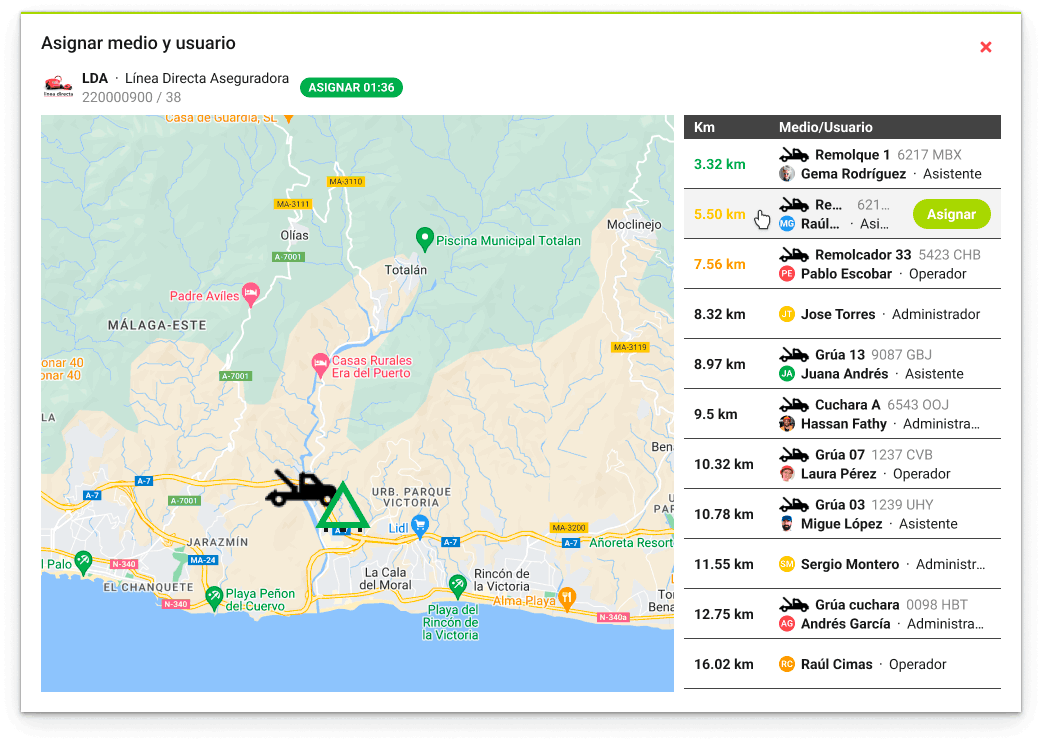
Assigning resources and users is now much simpler thanks to the expanded map. You can view a single resource on the map by hovering over the corresponding row. Additionally, we indicate the three resources closest to the incident. Simply click "Assign" on the chosen resource and user.
Data Export to Excel
Tow · Taxi&VTC
We’ve added the option to export all your data to Excel format. Using the "Export" button, you can choose the format that best suits your needs: Excel or CSV. You’ll receive an email with the information once the export process is complete.
